



728x90
728x90
The AWS Management Console now supports simultaneous sign-in for multiple AWS accounts - AWS
Today, AWS announces multi-session support, which enables AWS customers to access multiple AWS accounts simultaneously in the AWS Console. AWS Customers can sign-in to up to 5 sessions in a single browser, and this can be any combination of root, IAM, or f
aws.amazon.com
드디어 AWS 콘솔에서 멀티 세션을 지원하기 시작했다.
즉, 한 브라우저로도 여러 계정을 열어둘 수 있다는 말이다.
다만 내 실수도 충분히 늘어날 수 있기에... 계정별 AWS 콘솔 상단 색을 변경해주는 크롬 익스텐션을 찾아 설정해 보았다.
Customize AWS Console Header - Chrome 웹 스토어
Change AWS Console Header. background color and text label.
chromewebstore.google.com
익스텐션을 설치하고, 설정 > 옵션으로 들어가면 설정이 가능하다.
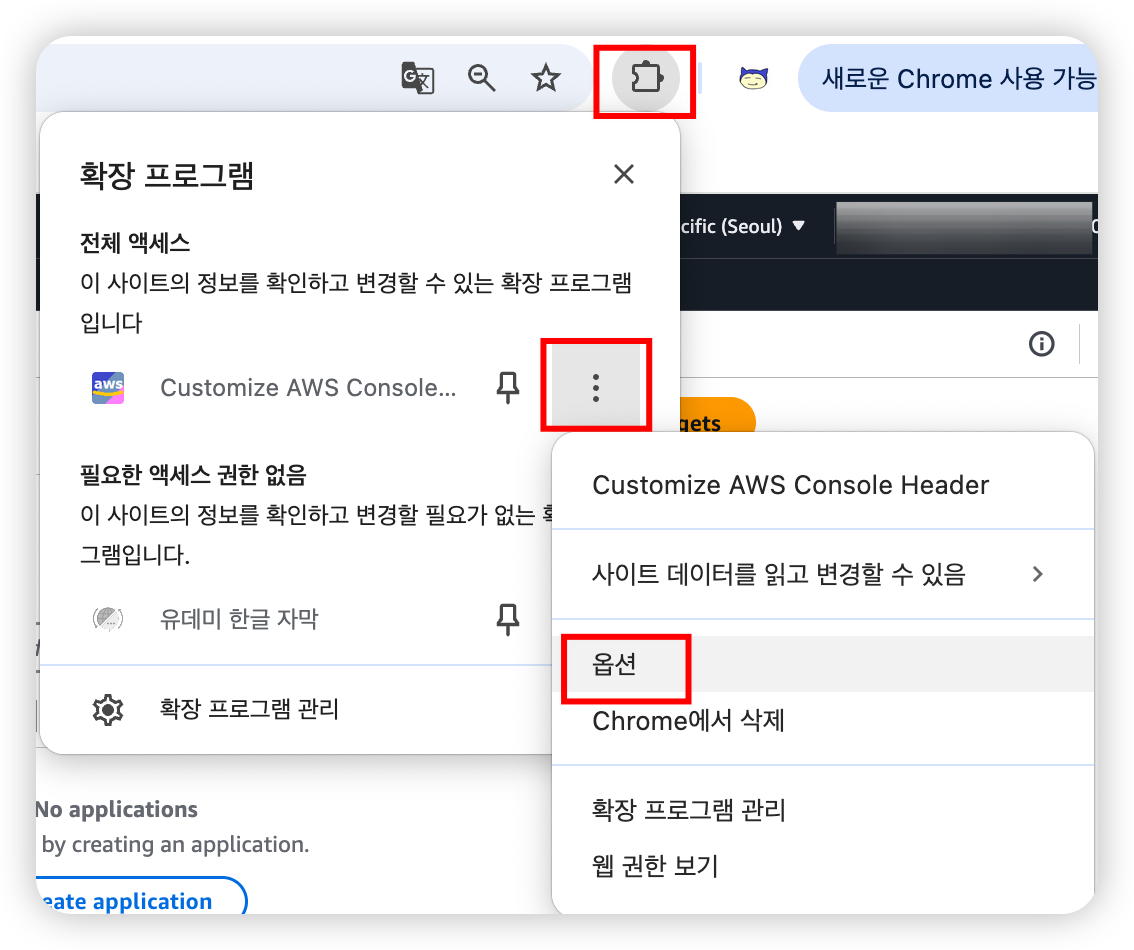
룰을 추가하고, apply를 누른 후 AWS 콘솔에 접근해보면

아주 잘 적용되는 것을 볼 수 있다.
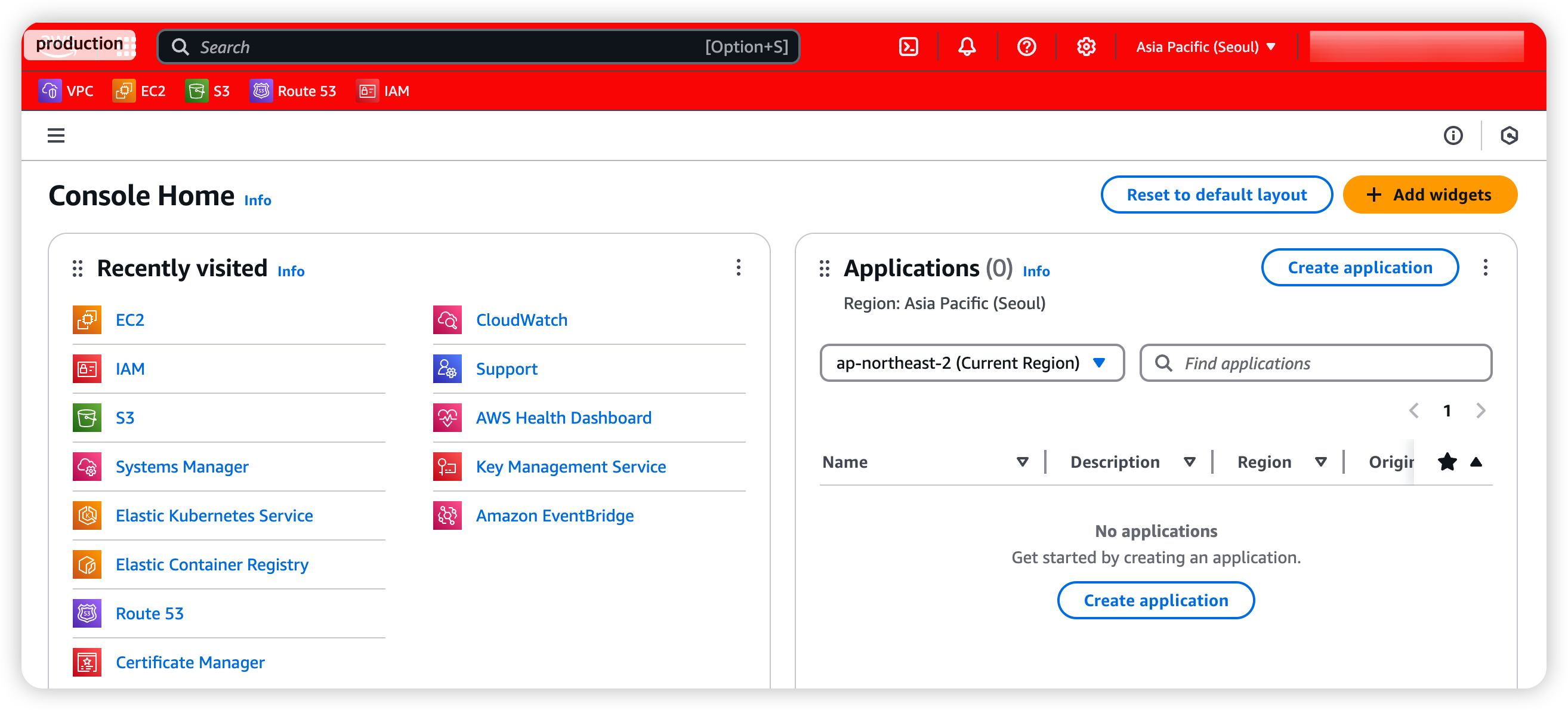
끝~
728x90
728x90
'공부 > AWS' 카테고리의 다른 글
| [AWS/IAM Roles Anywhere] Alpine 이미지에서 Roles Anywhere를 사용하기 위해 필요한 패키지 (3) | 2025.08.08 |
|---|---|
| [AWS/GithubAction] IAM Role로 github action 자격증명하기 (OIDC) (0) | 2025.05.11 |
| [aws-load-balancer-controller] failed calling webhook "mtargetgroupbinding.elbv2.k8s.aws" (0) | 2024.07.17 |
| [AWS/EC2] Proxy Setup user_data (Linux, Windows) (0) | 2024.07.09 |
| [AWS EKS] 보안그룹 최소 필요사항 정리 (0) | 2024.07.01 |




댓글